Geo-restrictions
Per-page feature: Geo-restrictions are configured per link page. Start with one simple rule, then expand.
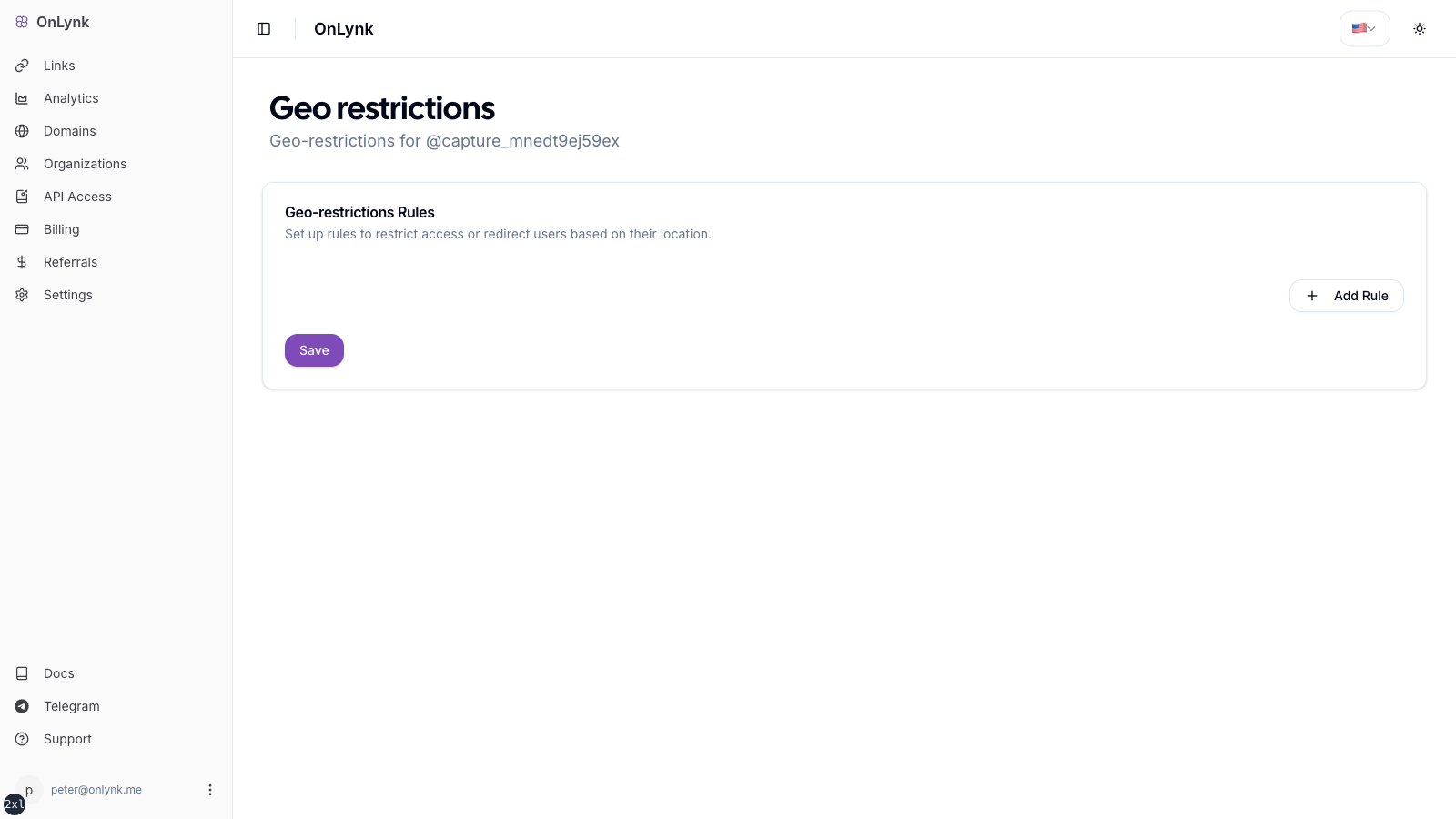
Overview
Section titled “Overview”Geo-restrictions change what happens when someone opens your link page based on their approximate location (country or city).
Use cases:
- Redirect US visitors to your English site, EU visitors to your French site
- Block access from countries where your product isn’t available
- Show a regional-specific page (promotions, pricing, legal notices)
For each page you can define rules with one of three actions:
| Action | Behavior |
|---|---|
| Block | Visitor sees a 404. They cannot access your page from that location. |
| Redirect | Visitor is sent to a different URL you specify. |
| Show another page | Visitor is sent to a different OnLynk page (your own). |
Before you start
Section titled “Before you start”- Your subscription must include geo-restrictions (Creator or Agency plan).
- You need edit access to the page.
Configure in the dashboard
Section titled “Configure in the dashboard”- Sign in to onlynk.me and open the dashboard
- Go to Links and select the page you want to configure
- Open Geo-restrictions for that page (icon or section in the row)
- Click Add rule and fill in:
- Type:
countryorcity - Country (and city when using city-level rules)
- Action:
BLOCK,REDIRECT, orPAGE
- Type:
- Fill in action-specific fields:
- REDIRECT: enter the destination URL
- PAGE: select the target OnLynk page from the picker
- Save
A visual indicator on your links list confirms geo rules are active on a page.
Geolocation accuracy
Section titled “Geolocation accuracy”OnLynk uses IP-based geolocation:
- Country-level accuracy is very high (> 99% for most regions)
- City-level accuracy varies (typically 50–80 km radius) — it is approximate, not GPS-precise
- Visitors using VPNs or proxy servers may appear to be in a different country — you cannot reliably block or redirect VPN users since their visible IP differs from their actual location
Bot handling
Section titled “Bot handling”REDIRECTrules — Bots are not redirected. Automated traffic sees your normal landing page instead of the destination URL (so crawlers don’t follow your redirects).BLOCKrules — Block applies to everyone including bots; they receive a 404.
How to test your geo rules
Section titled “How to test your geo rules”Since you can’t change your real location, use one of these methods:
Method 1 — VPN
- Connect a VPN to the country you configured a rule for
- Open your link page in an incognito window
- Verify the expected action fires (redirect, block, or page swap)
Method 2 — Browser DevTools (redirect only)
- Open DevTools → Network tab
- Visit your page and inspect the HTTP responses
- You won’t see geo rules trigger from your real location, but you can confirm the page loads normally
Method 3 — Staging slug
- Create a second link page with the same rules
- Ask a contact in the target country to test it for you
Limitations
Section titled “Limitations”- Rules apply to the country and city types only (no postal code or IP-range rules in the dashboard)
- Rule order matters if you define multiple overlapping rules — rules are evaluated top to bottom; the first match wins
- City rules require the country to be selected first
A visitor from the correct country wasn’t redirected
Section titled “A visitor from the correct country wasn’t redirected”Most likely cause: they were using a VPN or proxy. IP geolocation uses the IP’s apparent location, not the device’s real location. This is expected behavior.
My rule is set but the indicator doesn’t show on the links list
Section titled “My rule is set but the indicator doesn’t show on the links list”Save the rule and do a hard refresh (Cmd+Shift+R). If it still doesn’t appear, check that the rule was saved correctly by re-opening the geo-restrictions section.
Can I redirect to an external URL and to an OnLynk page with different rules?
Section titled “Can I redirect to an external URL and to an OnLynk page with different rules?”Yes — add two separate rules. Example: US → REDIRECT → https://en.mysite.com and FR → PAGE → my-french-page.
Does blocking a country affect my analytics?
Section titled “Does blocking a country affect my analytics?”Yes — BLOCK events are recorded as BLOCK type in analytics. Redirects are recorded as REDIRECT events. Both contribute to your page’s event history.
Can I use geo rules without a custom domain?
Section titled “Can I use geo rules without a custom domain?”Yes — geo rules work on the default onlynk.me/<slug> URL and on custom domains.
Related
Section titled “Related”- AI Shield — Bot classification that interacts with REDIRECT rules
- Page analytics — BLOCK and REDIRECT event types
- Glossary — Definitions for geo events and bot behavior